The surfaceSea level is Y 63.
Boosting Construction Speed in Minecraft Voxel Projects
Speed up construction by reducing repetitive edits, using previews and undo to control risk, and planning large builds as clear, repeatable tasks.…
Reviews6 min readPublished 4 November 2026
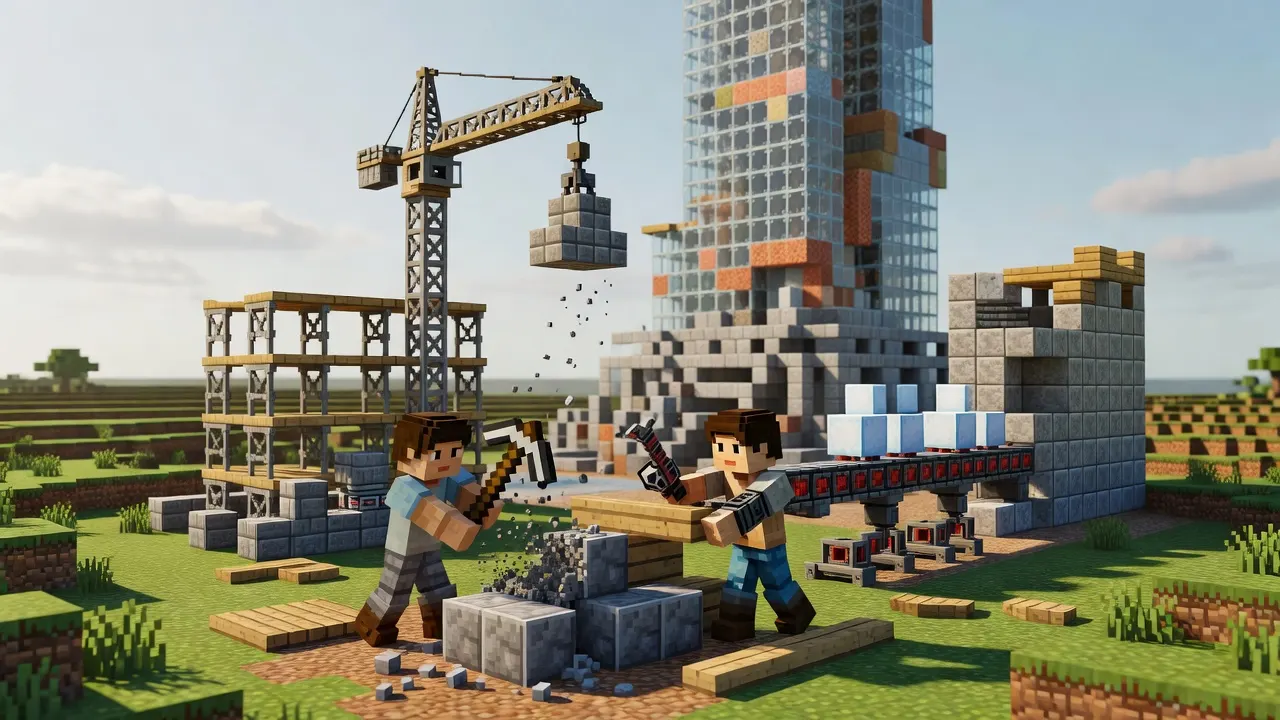
Speed up construction by reducing repetitive edits, using previews and undo to control risk, and planning large builds as clear, repeatable tasks. Command-driven editing can create rooms or hollow areas, while procedural generation can supply voxel data instead of storing it all. For custom tools, chunk-based work and face optimisation are useful design ideas, not instant fixes.
Key facts
- VoxelCleaner provides command-driven tools for room generation and area hollowing, plus previews and undo/redo history.
- Voxel Tools documentation describes terrain as chunks and discusses mesh colliders for each terrain block.
- Procedural sources can be lightweight compared with storing voxel data.
- A Unity voxel-builder tutorial covers chunk jobs and face optimisation as part of its project outline.
Automation helps most when repeated edits are predictable
Construction often slows down when a builder repeats the same operation across many spaces. A command-driven editing tool can shift that work from individual block placement to a defined action; VoxelCleaner lists room generation and area hollowing among its editing tools, alongside particle previews and undo/redo history.
That does not make every large edit a good candidate for automation. A repeated room shape may suit a generation command; an irregular landmark may need close manual control. First decide what must stay identical and what needs a builder’s judgement. Use automation for the repeatable portion, then inspect the result before moving on.
Previews and history offer a way to manage uncertainty. A particle preview can help you review a proposed operation, while undo and redo history lets you reverse or restore changes. Treat those features as checkpoints, not permission to apply a broad command without checking its scope.
Chunk-based thinking makes technical work easier to organise
For a custom voxel-building tool, organise work around chunks rather than treating a world as one undivided task. The performance documentation describes terrain blocks, also called chunks, and mesh colliders for each terrain block. This gives a useful planning model: divide a build or processing task into manageable regions, then test one region before scaling up.
A Unity voxel-builder tutorial lays out chunk jobs and face optimisation among its topics. The tutorial’s wider approach includes jobs and burst-compiled code for a voxel builder. These are development ideas for people building their own tools, not settings that automatically improve an ordinary Minecraft build.
Keep the lesson practical: isolate a small test area, run the same operation there, and compare the result with your intended output. If you are developing a tool, make changes in stages so a slow or faulty operation is easier to locate. If you are building by hand, the same habit applies to layout, materials, and repeated details. Work on one portion, inspect it, and only then extend the pattern.
Performance tuning belongs to the tool or engine, rather than the shape of a build alone. The Voxel Tools guide points readers to a thread time-budget setting in project settings. That guidance is specific to its engine. Do not assume that changing an engine setting will speed up construction in Minecraft itself; use it only when working in the relevant Voxel Tools project.
Procedural generation can reduce stored voxel data
Procedural generation describes producing voxel content from rules rather than keeping every piece as separately stored data. The Voxel Tools documentation says procedural sources are lightweight while storing voxel data is expensive. For a custom world tool, this can suggest a way to create repeated terrain or structures without manually placing each element.
The documentation also describes voxel graphs as sitting between programming three-dimensional shaders and procedural design. That means a generator can be designed through connected rules, rather than only through direct block-by-block editing. A Minecraft-like generator may use a channel for voxel types, while a smooth terrain generator may use a signed-distance field channel.
Not every project needs that approach. A carefully detailed player build may be better served by direct editing, because the desired result depends on deliberate choices. A repeated landscape or tool-generated environment may benefit more from rules that can be reused. Decide based on whether the project needs precise hand placement or consistent output from a repeatable process.
Keep generated content reviewable. Start with a small sample, check that the rules create the intended forms, and adjust the generator before expanding its use. For a builder, the broader principle is to avoid repeating work that a reliable process can produce. For a toolmaker, it is to keep generated output distinct from hand-edited work so later changes remain understandable.
What this means for you?
When building solo, faster construction does not have to mean rushing. It can mean protecting attention for the parts that make a project distinctive. Use a repeatable method for routine shapes, then reserve manual placement for focal details, awkward transitions, or sections that need a custom finish. A clear division between routine and unique work helps you avoid rebuilding the same feature from scratch.
If you are a map creator preparing several matching interiors, sketch one room layout and decide which elements must stay consistent. Use a suitable editing tool for repeated shapes, preview the operation, and inspect the result before applying the pattern elsewhere. Keep exceptions visible in your plan so they do not get overwritten by a broad edit.
For a shared project, agree on where edits may happen and how a change should be checked. A tool with block protection can help define safe boundaries. The human process still matters: communicate the intended area, avoid overlapping work, and review any change that affects a shared structure.
For someone making a voxel tool rather than building directly in Minecraft, separate world generation, chunk work, and visual optimisation into distinct tasks. The Unity tutorial’s outline includes chunk jobs and face optimisation. That can help you think about the tool’s structure, but it is not a promise that a particular architecture will suit every project.
Choose the smallest method that solves the delay. A manual checklist may be enough for a short build. A command-based edit may suit a repeated room. Perhaps a generator may suit content that follows stable rules. Test each method on a limited area, then keep it only if the result is accurate and easier to manage.
What to do now?
- List the work that consumes your attention, and mark which parts repeat. Separate routine shapes from details that need individual judgement.
- Choose one repeated task to test. If a command-driven tool fits your project, review its available operations and use a preview before changing the build. VoxelCleaner lists previews, room generation, area hollowing, and history among its features.
- Set a clear edit boundary before you run a broad operation. Protect nearby work where your tool supports it, and keep the target area easy to inspect.
- Make a small sample first. Check alignment, shape, and unwanted changes, then undo or revise the operation if the result differs from your plan.
- For custom voxel software, break the task into chunks and investigate optimisation only within the engine you are using. Chunk jobs and face optimisation appear in the Unity tutorial outline.
- Consider procedural generation only when rules can produce the content consistently. Compare the generated sample with your target before relying on it for a larger area.
Sources
- github.com/joltzen/VoxelCleaner
- voxel-tools.readthedocs.io/en/latest/performance
- voxel-tools.readthedocs.io/en/latest/generators
- www.linkedin.com/pulse/minecraft-voxel-builder-unity-dots-jason-skillman--cmere
About this page
Written with AI assistance from the sources listed above, then checked by automated fact, source, repetition and quality checks before publishing.
Facts and links checked on 4 November 2026. Summarises the sources linked above; check the linked source for the latest version.
How we researched this: we compiled this guide from the official and independent sources listed above, and checked the facts on the date shown. Our editorial policy explains how we choose and check sources.